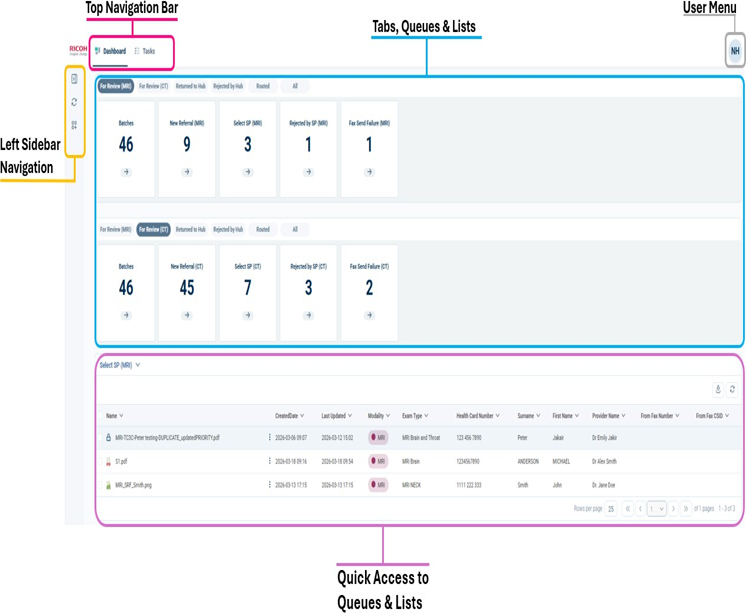
After you sign in, the CI Hub opens the Dashboard. Use it to:
- See workload at a glance.
- Open queues (worklists).
- Jump into a referral.
On the Dashboard, you will see
A top navigation bar (Dashboard, Tasks, Documents).
- Workflow tabs (for example, For Review, Return to Hub, Routed, All).
- Workflow tiles (queues with referral counts).
- Charts/widgets (if enabled).
Tip: Use Dashboard for overall workload. Use Tasks when you want a focused worklist.