Use this guide to complete day-to-day work in the Central Intake Hub (CI Hub). It explains how to sign in, find work, review referrals, and manage common exceptions.
Access and sign in
The CI Hub is browser-based. You do not install anything.
- Open a browser (Chrome, Edge, or Firefox).
- Navigate to the site URL.
- Bookmark the page if you use it often.
- Enter your email address and password, then select Sign In.
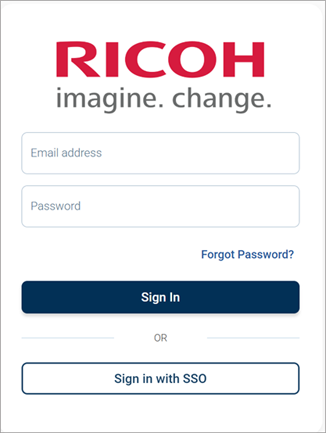
Reset your password (Forgot Password?)
Use this option if you already have a CI Hub account.
- On the sign-in page, select Forgot Password?
- Enter the email address linked to your CI Hub account.
- Open the password reset email and follow the instructions.
Account help (Help Desk)
Contact the Help Desk if you:
- Cannot sign in.
- Cannot access a queue or tab you need.
- Do not receive activation or password reset emails.
- See system errors that stop you from working.
Email: CentralIntakeHub@ricohcloud.ca
Phone: +1 (866) 931-8416